BananaTape: The Intuitive AI 'Vibe' Design Tool for Developers
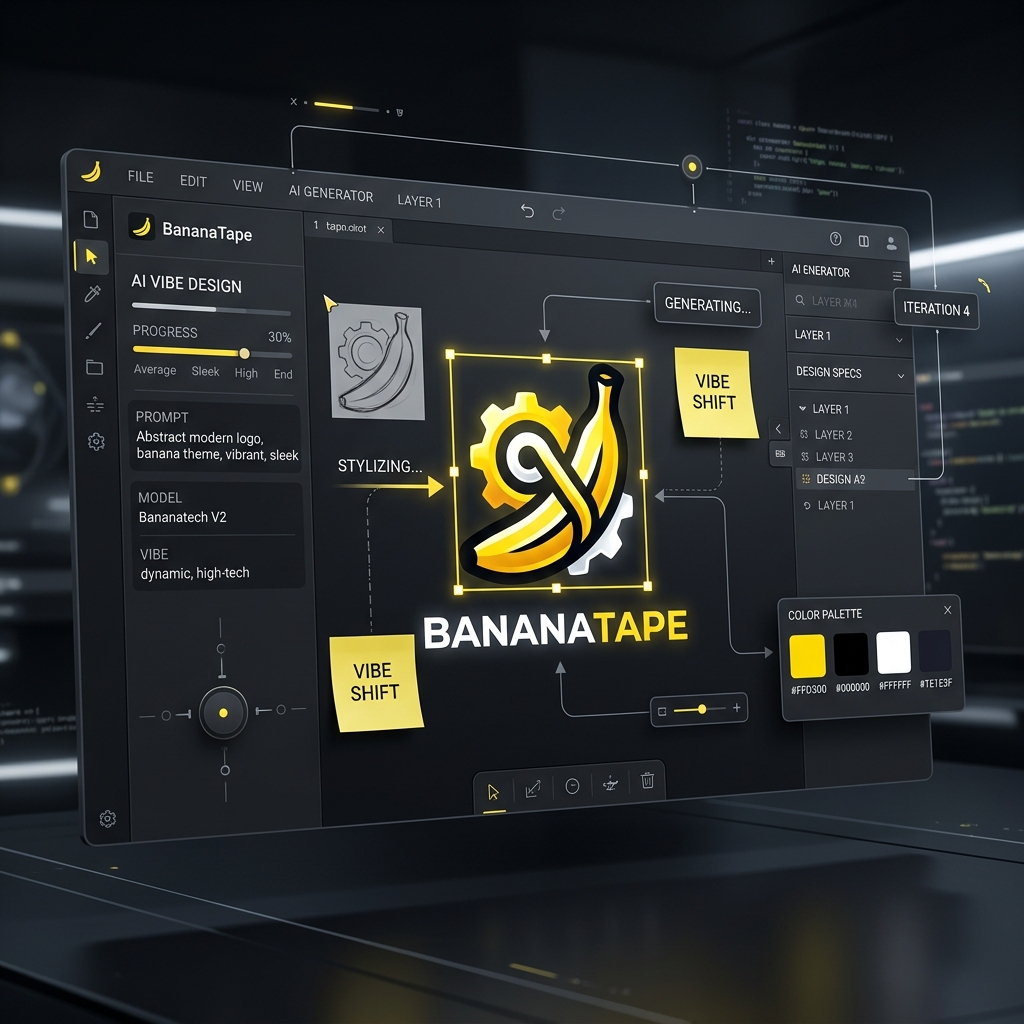
BananaTape: The Intuitive AI 'Vibe' Design Tool for Developers
AI image generation has become accessible to everyone, but achieving the exact 'Vibe' you're looking for remains a challenge. When your results miss the mark despite countless prompt tweaks, you might think: "Can't I just draw an arrow here and say 'change this part'?"
BananaTape was created to solve exactly this. Today, we're diving deep into BananaTape—a local-first image editing and generation tool designed for both developers and AI agents.
🎯 Who Is This For?
- Those hitting a wall with Prompt Engineering: If you want to intuitively handle layout or color adjustments that are hard to describe with text alone.
- Developers who prefer local environments: If you like managing projects on your local disk and controlling them via CLI rather than relying on cloud-only tools.
- UI/UX Designers & Devs: Those who need to quickly capture a visual 'vibe' during the prototyping phase and iterate based on feedback.
- AI Agent Users: Users who want tools like Claude to efficiently assist not just with code, but with visual assets as well.
🛠️ How and Where to Use BananaTape
BananaTape differs from traditional design software (like Figma or Photoshop). It takes a CLI-first approach and uses your browser as the UI terminal.
- CLI Installation: Install easily via npm.
npm install -g bananatape - Local Server: Running the command starts a Next.js server locally (
127.0.0.1) and opens the editor in a browser tab. It's lightweight, leveraging your existing browser without heavy wrappers like Electron. - Supported Providers:
- OpenAI: Generate images using DALL-E via your API Key.
- Codex: Use functions with your local Codex auth file and subscription.
💡 Why Use BananaTape? (Key Merits)
1. Intuitive Canvas Markup (The Vibe Annotations)
The biggest draw of BananaTape is the ability to leave boxes, arrows, pen strokes, and sticky notes directly on the image. Instead of writing a prompt like "make the lighting brighter in this specific spot," you just draw an arrow and add a note. Visual feedback is often much clearer than a text prompt.
2. Project-Based Local Storage
All results are stored physically in your ~/Documents/BananaTape Projects/ folder, not in some mysterious cloud. System prompts, reference images, and generated assets are organized in a clean folder structure.
3. Seamless Version History
During iteration, you often find that an earlier version was actually better. BananaTape tracks all generation and edit history in a sidebar, allowing you to jump back to any previous result and start a new branch of edits.
4. Fantastic Compatibility with AI Agents
This project includes a dedicated 'Skill' designed for AI agents (like Claude) to assist users. This enables workflows where the agent can create projects, take screenshots, and suggest edits directly within the BananaTape environment.
🚀 Conclusion: Better Images Come from Better 'Conversations'
BananaTape is more than just an editor; it's a new way for humans and AI to communicate efficiently through visual media. Instead of wasting time learning complex design software, use a combination of intuitive markup and prompts to quickly bring the 'vibe' in your head to life.
Why not open your terminal and type bananatape create "My First Vibe" right now?
🔍 Technical Info & Links
- GitHub: NomaDamas/bananatape
- Keywords: #BananaTape #AIDesign #VibeDesign #DeveloperTools #AIImageEditing #PromptEngineering


Comments
Post a Comment